
What Makes Android Forex Trading Convenient?
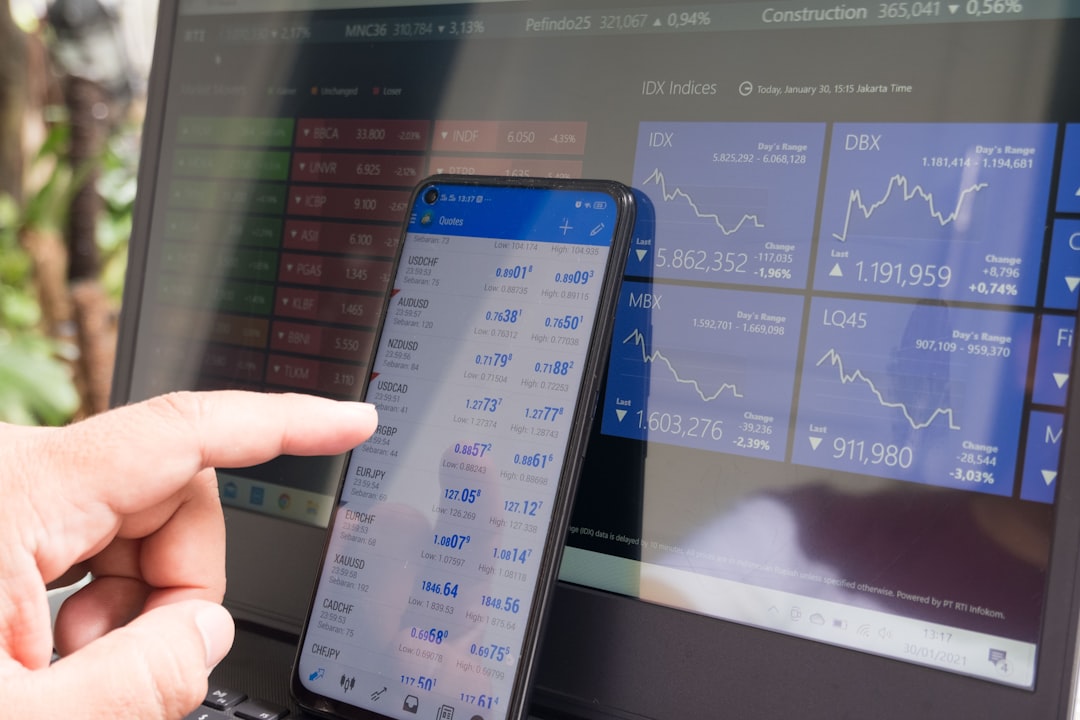
Modern Android devices allow users to monitor financial markets through dedicated applications designed for mobile use. A forex trading app android platform can combine live market observation, chart analysis, order management, alerts, and account information in a portable environment.
In This Article
- What Makes Android Forex Trading Convenient?
- What Should a User Understand About the Application Interface?
- How Should a Forex Watchlist Be Organized?
- Why Is Chart Analysis Important?
- What Are Technical Tools Used For?
- How Should Fundamental Information Be Considered?
- What Should Be Checked Before Opening a Trade?
- Why Does Risk Management Matter?
- How Can Notifications Support Market Awareness?
- How Important Is Mobile Device Security?
- What Happens If a User Loses the Device?
- Why Should Trading History Be Reviewed?
- Which Common Mobile Habits Should Be Avoided?
- How Can Traders Create a Consistent Daily Process?
- Can an Android App Replace a Desktop Trading Environment?
- What Should Beginners Focus On?
- How Can Users Keep Their Trading Environment Professional?
- Final Professional Summary
This accessibility is valuable for users who need flexibility, but convenience should always be supported by proper preparation. A mobile application can make trading functions easier to reach, while the quality of decisions still depends on market knowledge, planning, and disciplined execution.
What Should a User Understand About the Application Interface?
The interface is the foundation of the mobile trading experience. Before using advanced functions, users should identify the location of the watchlist, charts, order controls, open positions, trading history, account information, and settings.
A short period of familiarization can make navigation more comfortable. Users should know how to locate important information without searching through multiple screens during a fast-moving market situation.
The objective is not to use every feature but to understand the functions relevant to a personal trading process.
How Should a Forex Watchlist Be Organized?
A watchlist allows users to keep selected currency instruments together for easier observation. Instead of searching through a broad market list, traders can focus on instruments that match their research.
A professional watchlist should remain purposeful. Instruments can be grouped according to trading interest, market session, or analytical approach.
Keeping the list manageable can also make it easier to notice meaningful changes without becoming distracted by excessive market information.
Why Is Chart Analysis Important?
Charts provide a visual record of market movement and can help users identify patterns, trends, support areas, resistance areas, and changes in momentum.
Android applications generally provide several chart options and viewing intervals. Users should learn how these settings affect the information displayed.
Shorter intervals may show rapid market fluctuations, while broader intervals can provide additional context. A professional analysis considers the appropriate perspective instead of relying on one chart view.
What Are Technical Tools Used For?
Technical tools help traders examine market information in a structured way. Depending on the application, these may include trend indicators, momentum tools, moving averages, volatility measures, and drawing functions.
Each tool has a specific purpose. Users should understand that technical analysis describes market behavior rather than guaranteeing future results.
Using fewer tools with a clear analytical purpose can make mobile charts easier to read.
How Should Fundamental Information Be Considered?
Currency markets are influenced by economic and political developments across different regions. Central-bank decisions, economic reports, employment information, inflation developments, and international events can affect market sentiment.
A mobile trading application may provide access to some relevant information, but users should consider the wider context before making decisions.
A chart should therefore be viewed as one part of analysis rather than the entire decision-making process.
What Should Be Checked Before Opening a Trade?
Before submitting a trade instruction, users should review the selected currency instrument and confirm the intended direction and position details.
Risk controls should also be considered before the order is submitted. Users should understand where an exit could occur if market conditions move against the original analysis.
Taking a moment to verify the information can help prevent mistakes caused by rushed mobile interaction.
Why Does Risk Management Matter?
Currency trading involves uncertainty, and market conditions can change rapidly. Risk management helps traders define how much exposure is acceptable within their overall plan.
A professional approach may involve predefined entry conditions, exit rules, exposure limits, and review procedures. These controls help create structure around decisions.
Risk management should be established before a trade is opened rather than improvised after market movement has already created pressure.
How Can Notifications Support Market Awareness?
Mobile notifications can provide useful information without requiring continuous chart monitoring. Depending on application capabilities, users may receive alerts about selected market conditions, order activity, or account events.
Notifications should be customized carefully. A large volume of alerts can encourage unnecessary reactions.
The purpose of an alert is to bring attention to a relevant condition, not to replace analysis.
How Important Is Mobile Device Security?
Security is essential because a trading application may provide access to confidential account information and trading functions.
Users should maintain device protection, use secure authentication, and avoid sharing login credentials. Application updates should be obtained through trusted sources.
Suspicious messages and unfamiliar links should also be treated cautiously. Users should verify communication through official channels instead of responding to unexpected requests for sensitive information.
What Happens If a User Loses the Device?
A lost device can create security concerns, particularly if account access remains active. Users should know the available account-protection procedures before an emergency occurs.
Device authentication should always be enabled. Where supported, additional account-security measures can provide another layer of protection.
Having a response plan helps users act quickly if their phone becomes lost, stolen, or accessible to another person.
Why Should Trading History Be Reviewed?
Trading history offers a record of previous decisions. Reviewing it can reveal patterns in timing, trade selection, risk management, and emotional responses.
A trading journal can make this process more useful by recording the reasoning behind each decision. The goal is not simply to review outcomes but to understand whether decisions followed the original plan.
Regular review can therefore support continuous learning and better process management.
Which Common Mobile Habits Should Be Avoided?
Constantly checking the market can encourage emotional reactions. Another problem occurs when users open trades simply because they notice a sudden movement.
Other poor habits include ignoring economic developments, placing orders without reviewing settings, relying entirely on indicators, and failing to document decisions.
Mobile convenience is most useful when combined with clear rules.
How Can Traders Create a Consistent Daily Process?
A structured routine can make mobile trading more organized. Users may begin by checking relevant market developments and reviewing their watchlist.
The next step can involve chart analysis and identifying conditions that meet predefined criteria. During trading activity, users can monitor positions according to their established rules.
After the trading session, reviewing decisions and recording observations can provide useful information for future analysis.
Can an Android App Replace a Desktop Trading Environment?
Mobile applications can provide many essential trading functions, but they may not offer the same screen space as a desktop environment. Traders conducting detailed analysis may therefore use mobile and desktop environments for different purposes.
An Android device can be particularly useful for monitoring markets, reviewing positions, receiving alerts, and managing selected account functions while away from a larger screen.
The appropriate environment depends on the user’s workflow and analytical requirements.
What Should Beginners Focus On?
New traders should first develop an understanding of currency markets and basic trading terminology. They should learn how currency pairs work, how price charts are interpreted, and how orders are managed.
Risk management should be studied alongside technical analysis rather than treated as an advanced topic.
Once the fundamentals are understood, users can gradually explore additional application features and analytical methods.
How Can Users Keep Their Trading Environment Professional?
A professional mobile environment should be organized, secure, and focused. Users should maintain an appropriate watchlist, review important market information, configure useful notifications, and keep account-security measures active.
They should also maintain written trading rules and regularly review their trading history.
The strongest mobile workflow is not necessarily the one with the greatest number of tools. It is the one that presents relevant information clearly and supports a disciplined decision-making process.
Final Professional Summary
An Android forex application can provide a practical connection to currency-market information and trading functions. Its value comes from combining accessibility with useful market tools, secure account management, chart analysis, alerts, and order controls.
Professional mobile trading requires more than knowing how to press a trade button. Users should understand the application, research market conditions, manage risk, protect account access, and review their decisions regularly.
When technology is used as part of a structured process, an Android trading environment can become a convenient component of broader market research and trading activity.